Benefits for My Career After VMware Explore 2022

As an IT professional, attending conferences and events is an essential part of my career growth. These events provide opportunities to learn about the latest technologies, network with other professionals in the industry, and gain insights into industry trends. One such event that has had a significant impact on my career is the VMware Explore... Continue Reading →

How to Configure Shared Storage for ESXi Hosts in Home Lab

If you're using vCenter with multiple ESXi hosts in your home lab, it's a good idea to set up shared storage. This allows you to test many features such as vMotion, vSphere HA or DRS. Shared storage is desirable in almost every vSphere infrastructure. Without it, some key virtualization features will not be available. There... Continue Reading →

PowerCLI Script: VM Info Report

Managing a large environment with hundreds or even thousands of virtual machines is a big challenge. Checking something manually on dozens of VMs is very time consuming. That's when scripts and automation come in handy. In this article I will show you a script that will generate a report containing information about all virtual machines... Continue Reading →

How to Deploy vCenter 8.0

vCenter Server 8.0 is another component of the new vSphere 8 released in late 2022. Since I already have ESXi 8.0 deployed, it's time to deploy the new vCenter in my home lab. If you already have vCenter 7.0 installed, you can upgrade to vCenter 8.0 using the following guide: How to upgrade vCenter Server Appliance... Continue Reading →

How to Deploy ESXi 8.0

VMware vSphere 8.0 was released in late 2022 along with VMware ESXi 8.0 and VMware vCenter Server 8.0. All this comes with lots of new features, improvements and a brand new GUI look. In this article, I will show you step by step how to install ESXi 8. Prerequisites License and ISO VMware provides a... Continue Reading →

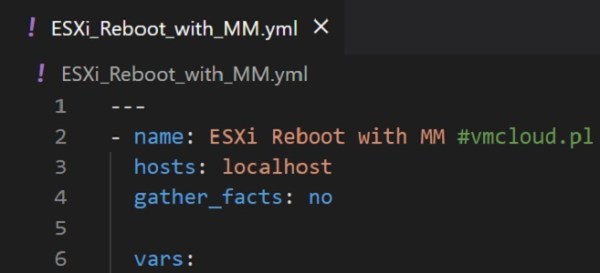
Ansible Playbook: ESXi Maintenance Mode and Reboot

In Ansible, you can run multiple tasks by grouping them under a single play. A play is a collection of tasks that target a specific set of hosts and are executed in order. In this article I would like to share couple of my Ansible Playbooks for ESXi Maintenance and Reboot. All Ansible Playbooks used... Continue Reading →

What is Ansible Inventory and How to Add ESXi

Ansible Inventory is a hosts file which contains every server that is managed by Ansible. Inventory file is located in /etc/ansible/hosts on your Ansible VM. Once you add server in hosts file, you need also to establish an SSH connection using SSH key. In this article I will show you how to add servers to... Continue Reading →

How to Deploy Ansible to Manage VMware Infrastructure

Managing a virtual infrastructure can be a challenging task, especially when you have a large number of virtual machines or ESXi hosts to manage. In order to manage these virtual machines, you need a tool that can automate the process and provide you with a single interface to manage all of your virtual machines. This... Continue Reading →

How to Manage and Run Ansible Playbooks Remotely

Visual Studio Code has a feature that allows you to create, modify and run Ansible Playbooks directly on the Ansible Node Linux VM. No need to copy YAML files to run from a VM. In this article, I will show you step by step how to configure Visual Studio Code to run it on a... Continue Reading →

How to Patch vCenter Server Appliance

Patching vCenter Server Appliance looks different than upgrading. As you probably already know, an upgrade is a completely new version of the software, and a patch is a new release of the current version with the latest fixes. I have already described the vCenter Server Appliance upgrade in this article. In this article, I will... Continue Reading →

Create a website or blog at WordPress.com

Up ↑